
Key Takeaways
-
System retirement and data deletion are separate decisions.
-
A complete data inventory should come before migration or archiving work begins.
-
Not every historical record needs to move into the active EHR.
-
Retention, security, legal hold, and access requirements must guide the project.
-
Validation testing should be completed before the source system is decommissioned.
-
Success includes reliable access to records, not just lower technology costs.
Retiring a legacy healthcare application should not mean losing the records it contains. Hospitals, clinics, and physician groups can reduce the cost and risk of aging technology while preserving appropriate access to historical clinical and business information. A well-designed medical legacy data archive can help separate long-term record access from the expense of operating an outdated production system.
The goal is not simply to export files and turn off a server. A sound retirement effort preserves the information, context, security controls, and search tools that authorized users need for patient care, billing, audits, compliance activities, and legal matters.
Why Legacy Healthcare Systems Remain in Place
Legacy applications often stay online because they hold information that cannot be easily replaced. An organization may have moved to a modern EHR while an older billing platform, laboratory system, imaging application, document repository, or custom database still contains years of patient history.
For example, a clinic may keep an old application running because staff occasionally need to review scanned correspondence from prior years. The system is no longer part of daily care delivery, yet its licensing fees, infrastructure needs, support demands, and security exposure continue. In mergers and acquisitions, duplicate systems can create an even larger retirement backlog.
Recognize When a System Is Ready for Retirement
Leaders should evaluate whether an application is still necessary for active work or whether it has become a historical records repository in disguise. A system may be ready for retirement when:
-
It no longer supports a live clinical, financial, or administrative workflow.
-
Its vendor support has ended, or security updates are limited.
-
Only historical records remain valuable to users.
-
The organization has implemented a newer enterprise platform.
-
Staff spends disproportionate time maintaining unreliable technology.
-
The cost to operate the system exceeds its continuing operational value.
Build a Complete Data Inventory
A retirement project starts with understanding what is actually stored in the legacy environment. Teams should inventory patient demographics, encounter history, clinical notes, orders, results, medications, claims, payments, accounts receivable, reports, images, scanned documents, templates, metadata, audit data, user roles, and interfaces.
Questions to Answer Before Moving Data
-
Who owns each data set and who can approve its disposition?
-
How frequently will the information be requested after retirement?
-
Which records must remain searchable by patient, date, facility, or encounter?
-
Are any records subject to legal holds, investigations, or open disputes?
-
Does another application still rely on the legacy system or its interfaces?
Separate Migration From Archiving
Migration moves selected data into a new live system for continued operational use. Archiving preserves historical information in a controlled environment for future retrieval. Most organizations need both approaches. Active allergies, current medications, and information needed for ongoing care may belong in the new EHR. At the same time, older encounter details and closed financial records may be better suited for archiving.
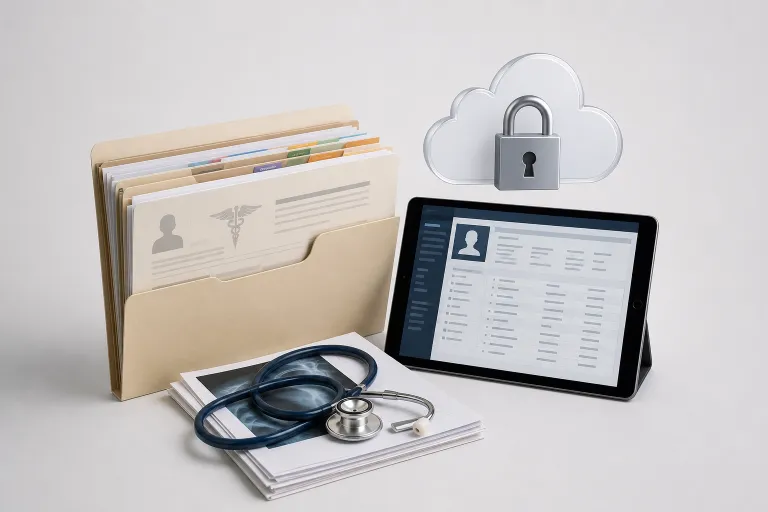
Moving every legacy field into a production platform can clutter user workflows and make important current information harder to find. Moving too little can leave clinicians and administrative teams without necessary context. The right scope is based on patient care needs, record obligations, operational use, and the practical ability to retrieve information later.
Create a Retention and Disposition Plan
Healthcare organizations should avoid relying on a single retention period for every record. Requirements and policies can differ by record type, patient age, provider setting, payer obligations, state law, accreditation expectations, and legal circumstances. Health information management, compliance, privacy, legal, security, and clinical stakeholders should review the plan before any data is destroyed.
The plan should identify each record category, its retention rule, the responsible approver, exceptions for legal holds, the review process before destruction, and evidence that disposal was authorized. Retiring an application does not remove the duty to preserve records that remain within an approved retention period.
Protect Records During the Transition
An archive still contains sensitive electronic protected health information. The administrative, physical, and technical safeguards required by the HIPAA Security Rule should inform how that information is transferred, stored, accessed, monitored, and recovered.
-
Encrypt data during transfer and at rest.
-
Use role-based access controls and multi-factor authentication for privileged access.
-
Maintain access logs and transaction histories.
-
Use verified transfer methods and secure vendor arrangements.
-
Keep backup copies and test recovery procedures.
-
Limit access to the minimum appropriate workforce roles.
Preserve Context, Not Just Files
A folder of PDFs may preserve a document but fail to preserve its meaning. A usable archive should maintain patient-encounter relationships, dates, authors, document types, field values, source-system details, relevant metadata, and links between scanned files and the correct patient record.
Without that context, a record can become difficult to interpret. A clinician may not know whether a result belongs to a particular encounter, and a billing specialist may not be able to connect a statement to the underlying services. The archive should present historical information in a readable, permission-aware format.
Make Historical Records Easy to Find
Users should not need to contact IT each time they need an older chart or document. Effective archives commonly support searches by patient name, medical record number, date of birth, date of service, encounter type, document category, department, and facility. Clear labels, useful filters, readable views, and controlled export options improve daily access.
Test Before Shutting Down the Source System
Validation should include samples from every department and major data category. Compare source and archived records, confirm identifiers and dates, test documents and images, verify search results, and confirm that permissions work correctly. Include difficult records, such as duplicate identifiers, incomplete fields, older file formats, and scanned documents.
Clinical, billing, HIM, compliance, and technical users should review results against realistic scenarios. Document any defects, correct them, retest, and obtain written approval before decommissioning the old system.
Plan for Continuity and Measure Results
Set a clear cutover date, keep the source system available through validation, provide staff instructions, and establish support coverage after launch. A careful approach can produce meaningful operational benefits. Trinity Health reported savings across its healthcare system after retiring obsolete applications as part of its modernization efforts, while also emphasizing the preservation of historical data.
After retirement, measure the number of systems decommissioned, eliminated licensing and maintenance costs, retrieval times, validation pass rates, unresolved exceptions, support requests, security events, and user feedback. Cost reduction matters, but a retirement project is only successful when historical information remains complete, secure, and available to authorized users.
Common Mistakes to Avoid
-
Deleting records before retention and legal hold requirements are reviewed.
-
Assuming a PDF export captures all structured data and audit context.
-
Overlooking specialty data, images, interfaces, or scanned documents.
-
Giving broad access to every archive user.
-
Turning off the source application before business users approve validation results.
-
Selecting storage without planning for future search, retrieval, and recovery needs.
Conclusion
Healthcare organizations do not have to choose between modern technology and access to historical patient records. With a complete inventory, a defensible retention plan, strong security, useful search capabilities, and thorough testing, teams can retire outdated systems responsibly. The strongest projects treat legacy data as an ongoing information governance responsibility, not as a technical afterthought.